A Node.js application can be mostly JavaScript and still depend on compiled machine code at its most important boundaries. Database drivers, image processors, cryptography libraries, compression tools, observability agents, embedded databases, parsers, and performance-sensitive utilities often include native components. These packages can turn a routine runtime upgrade into a platform migration involving binary interfaces, compilers, operating systems, CPU architectures, and external artifact hosts.
The risk is easy to miss because native packages usually look like ordinary entries in a manifest or transitive lockfile. Installation succeeds on a developer laptop because a compatible binary is cached. CI succeeds on one architecture while production uses another. A package declares a broad Node.js engine range, but the published binary matrix does not include the target combination. The first visible failure may occur during an emergency rebuild or after production traffic reaches a code path no test exercised.

Native risk can be managed. It requires complete discovery, a correct model of compatibility, clean installation tests on production-like platforms, behavioral and performance validation, and an explicit fallback path. This guide provides that approach.
Why native modules change the upgrade risk model
Ordinary JavaScript packages depend primarily on language and runtime behavior. Native add-ons add several independent compatibility dimensions: the Node.js runtime interface, the V8 engine or Node application binary interface, operating-system APIs, C or C++ runtime libraries, CPU instruction set, compilation toolchain, and packaging method. Passing one dimension says little about the others.
Installation behavior also becomes part of production reliability. A package may first attempt to download a prebuilt binary and compile from source only if none matches. That fallback can require Python, a compiler, build headers, network access, and system development libraries. It can produce a working artifact locally but fail inside a minimal container or restricted build worker. Even when it succeeds, the resulting image may differ from the one security and performance teams expected.
Native failures are not limited to obvious load errors. A binary can load and still behave incorrectly because of assumptions about memory, threading, callbacks, data representation, or a linked system library. It can leak memory or block the event loop only under production concurrency. Readiness therefore requires more than a successful installation and startup.
Model a native package as a platform component
Its compatibility is a function of package version, native interface, Node.js version, operating system, C library, CPU architecture, installation path, linked libraries, and exercised behavior—not a single manifest range.
Distinguish Node-API from runtime-specific bindings
Node.js exposes more than one way for native code to integrate. Node-API provides an ABI-stable interface designed to allow an add-on built for a supported Node-API version to work across multiple Node.js releases. Packages using it can reduce runtime-upgrade friction because they are less directly coupled to V8 and Node internals. Compatibility is still conditional: the runtime must implement the required Node-API level, and the distributed binary must match the operating system and architecture.
Other add-ons use lower-level native interfaces or bind directly to V8. Their compiled output is commonly associated with a specific Node module ABI. A new Node.js major can require a newly compiled binary even when the package source needs no logical change. Maintainers must publish a matching prebuild or the consumer must compile it. Packages using abstraction layers can still be runtime-specific depending on how they are configured and released.
WebAssembly and pure JavaScript alternatives may avoid some ABI coupling but carry different tradeoffs in performance, package size, initialization, platform APIs, and maintenance. Do not classify a dependency as low risk based on technology labels alone. Record the actual artifact loaded by the application and the supported platform matrix for the resolved version.
Identify interface usage from package metadata, build files, source structure, binary names, documentation, and installation logs. Prefer evidence from the exact resolved version. A current project page may describe modern Node-API support while the application remains pinned to an older release that uses runtime-specific bindings.
Discover direct, transitive, optional, and conditional native code
Start with the lockfile, not only the manifest. Native packages frequently arrive transitively through higher-level libraries. Inspect resolved packages for native build configuration, compiled add-on files, prebuild download tools, platform selectors, install scripts, and dependencies on native build systems. Map each finding upward through the dependency graph to every deployable consumer.
Optional dependencies require careful interpretation. A package manager may skip them on one platform and install them on another. A library may use a native accelerator when present and fall back to JavaScript otherwise. This can make local and production behavior materially different without changing application code. Record whether the native path is required, optional, or dynamically selected, then test the path production will use.
Search container images and produced artifacts as well as repositories. Some organizations copy precompiled binaries into images, vendor a patched add-on, or install operating-system packages that expose native bindings. Multi-stage builds can obscure where compilation occurs. Serverless layers and platform buildpacks may introduce binaries outside the application lockfile.
Include development and delivery tools if they run on the target runtime. Bundlers, test runners, code coverage tools, linters, database migration utilities, and local emulators can use native acceleration. A production service may be pure JavaScript yet remain blocked because its test or image-build tool cannot run on the target.
- Resolve the exact version and dependency path for every native candidate.
- Identify whether native code is required, optional, platform-specific, or dynamically selected.
- Locate prebuilt artifacts, source build configuration, lifecycle scripts, and download hosts.
- Map packages to deployable services, CI jobs, developer tools, and release utilities.
- Inspect final images and artifacts for native binaries that repository scanning can miss.
- Assign confidence and a review action when classification is uncertain.
Build the complete compatibility matrix
For every required native dependency, record the source and target Node.js versions, Node-API or module ABI requirement, operating system, distribution, C library, CPU architecture, package-manager version, and package version. Linux is not one target: a binary built for a glibc-based distribution may not work on a musl-based image. An x86 prebuild does not establish support for ARM. Windows toolchain assumptions differ from Linux and macOS.
Use the production platform as the reference, not the most common developer platform. If builds run on x86 but workloads run on ARM, confirm whether artifacts are cross-compiled, rebuilt, or downloaded for the destination. If the fleet contains multiple architectures, each is a target. If a serverless provider controls the base image, verify its documented runtime and library environment.
Check the resolved package release for an available artifact matching every target combination. A release note claiming support may mean source compatibility, not published prebuild availability. Inspect artifact naming, checksums, release assets, and clean installation output. Confirm that the installation does not silently fall back to a different implementation.
Account for linked libraries. Image processing, database, cryptography, and compression add-ons may link statically, bundle libraries, or depend on system packages. Determine versions and licensing or security update paths. A Node.js upgrade combined with a base-image change can alter these libraries even when the package version stays fixed, creating a second migration hidden inside the first.
Inspect installation and build behavior in isolation
Run a clean, lockfile-enforced installation without caches in an ephemeral worker that matches the target. Record network requests, lifecycle scripts, compiler invocation, warnings, downloaded artifacts, and output hashes. Repeat with restricted networking if that reflects production build policy. This shows whether the build depends on an external binary host and whether source compilation is a tested or accidental fallback.
Lifecycle scripts are a security and reproducibility boundary. They execute package-provided code during installation and may download or build artifacts. Default analysis should not execute them in a trusted environment. Inspect first, then enable required behavior in an isolated, resource-limited worker with controlled credentials and network access. Preserve the logs as migration evidence.
If compilation is required, define the toolchain explicitly. Pin compiler families and meaningful versions, Python where needed, build tools, system headers, and library packages. Ensure the build stage is reproducible and the final runtime stage includes only required shared libraries. Confirm that build credentials, caches, compilers, and development headers do not leak into the production image.
Exercise failure paths. What happens if the prebuild host is unavailable, a checksum fails, or a corporate proxy blocks the download? Can the organization rebuild the artifact from source, mirror it internally, or use a previously verified package cache? A deployment pipeline that depends on an uncontrolled artifact host has operational risk even when routine installations succeed.
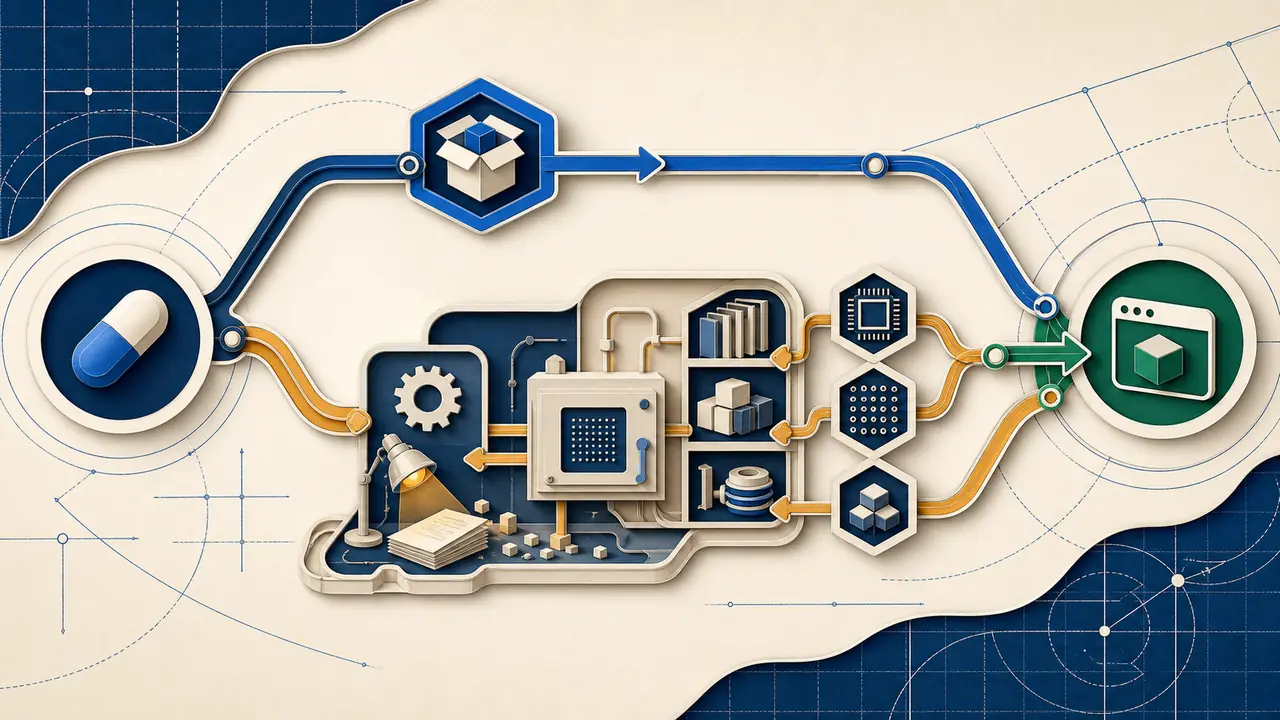
Validate loading, behavior, performance, and failure handling
Begin with a load test that imports the resolved package on every platform target and confirms the expected native implementation. Then test the application behavior that uses it. For a database driver, cover authentication, queries, transactions, pooling, timeouts, cancellation, reconnection, TLS, and shutdown. For an image library, cover representative formats, sizes, metadata, errors, memory usage, and concurrency. Generic startup proves very little.
Run integration tests against real external systems or faithful environments. Native modules commonly sit at boundaries where mocks hide important behavior. Compare source and target runtimes using the same inputs and dependency versions. Investigate differences in output, error types, timing, resource consumption, and cleanup.
Measure under sustained load. Watch throughput, latency, CPU, memory, native heap behavior, event-loop delay, thread-pool saturation, file descriptors, and process stability. Include warm-up and long-running tests because memory leaks and cleanup defects may take time to appear. Test graceful termination during active work so deployments do not lose requests or corrupt jobs.
Improve observability before rollout. Log package and native implementation versions at startup without exposing sensitive details. Attach runtime and architecture labels to metrics. Ensure crash reports, core dumps where permitted, traces, and error grouping can distinguish the target cohort. Define alert and rollback thresholds based on service outcomes, not merely process uptime.
Choose the smallest durable remediation
The preferred path is often upgrading to a maintained package version with proven support for the target. Trace whether that requires upgrading a direct parent and whether its public API changed. Validate the whole consumer path rather than forcing a transitive override. If a maintained fork is required, document ownership, update cadence, security response, and an exit condition.
Replacing a native dependency with a pure JavaScript or WebAssembly implementation can reduce platform coupling, but benchmark real workloads and review functional differences. The replacement may consume more CPU or memory, omit algorithms, or handle errors differently. The engineering decision should compare ongoing maintenance, security, performance, and rollout complexity.
Building from source can be valid when the organization controls a reproducible toolchain and artifact pipeline. Treat the binary as a release artifact: produce provenance, checksums, platform metadata, scanning, retention, and promotion between environments. Do not depend on an undocumented compiler path that only one build agent happens to provide.
Temporary patches and overrides need strict controls. Pin exact versions, preserve patch contents, add targeted tests, assign an owner, and define removal criteria. A successful installation is not enough to justify overriding a package’s compatibility declaration. The parent may rely on behavior changed by the forced version.
Harden CI and container delivery around native artifacts
Build on the same operating-system family and architecture used for production, or use a tested cross-build method. Avoid copying dependency directories from a developer machine. In multi-stage images, copy only the runtime files and confirm linked libraries are present. Use immutable base digests and regenerate native artifacts whenever the runtime, image, architecture, or relevant system libraries change.
Configure cache keys to include the runtime version, platform, architecture, lockfile hash, package-manager version, and native toolchain inputs. Reusing a cache across ABI boundaries can produce confusing load failures or, worse, an artifact that appears to work outside its supported combination. Include periodic cache-free builds as a reproducibility control.
Test the packaged artifact, not only the workspace. Run smoke and integration tests against the final image. Inspect native binary metadata and software inventory. Promote the same verified image through environments instead of rebuilding for production. Retain the previous image and ensure it remains compatible with current data and configuration.
Plan waves, gates, and rollback for native change
Sequence remediation at the shared dependency level before migrating consumer services. Select an observable, reversible service that exercises the native path as a pilot. A service that merely installs the package but never uses the relevant feature provides weak evidence. Carry the pilot results into risk classification and estimates for later consumers.
Cutover gates should include clean target-platform installation, expected artifact selection, full build, targeted integration tests, sustained performance thresholds, production-cohort observability, security review of installation behavior, and a tested rollback. Keep source-runtime capacity until the observation window covers periodic and peak workloads.
If data formats or protocols can change, verify backward compatibility before assuming the old image can return. Some embedded databases, serialization libraries, or cryptographic components can write outputs that older versions cannot read. Use versioned formats, dual-read strategies, or staged data transitions where needed.
After the migration, remove temporary compilers, runtime matrices, overrides, mirrored artifacts that are no longer needed, and source-version exceptions. Update dependency policy so new native packages trigger platform review. Record actual installation, performance, and operational outcomes so the next runtime assessment can classify similar dependencies with stronger evidence.
Maintain an approved platform matrix after cutover. Dependency update automation should test native candidates on every supported runtime, operating system, C library, and architecture before merging. Alert when a package adds an installation script, changes its artifact host, drops a prebuild, or introduces a new compiled transitive dependency. This makes native compatibility a continuous supply-chain and reliability control instead of a one-time migration investigation.
Record artifact provenance at the point of build. The evidence should connect package and source version, compiler inputs, platform, architecture, linked libraries, checksum, security scan, and the application image that consumes the binary. Preserve it for the same period as the release artifact. When a vulnerability, crash, or emergency rebuild occurs, engineers can identify exactly which workloads contain the affected native code instead of repeating discovery under pressure.
Include native dependencies in disaster-recovery exercises. A restored environment may use empty caches, a restricted network, or replacement hardware with a different architecture. Verify that the organization can rebuild or retrieve approved binaries under those conditions. Recovery plans that rely on an expired external release asset or an undocumented compiler image are not complete, even when routine deployments remain healthy.
Make native risk visible before it becomes a build failure
Native Node.js modules are manageable when teams stop treating them as ordinary manifest entries. Discover them through lockfiles, artifacts, images, and installation behavior. Distinguish stable interfaces from runtime-specific bindings. Evaluate the entire platform matrix, including operating system, C library, architecture, toolchain, linked libraries, and download path.
Then verify more than loading: exercise real boundaries, concurrency, resource behavior, failure handling, delivery, monitoring, and rollback. Connect each dependency to its consumer services and sequence shared remediation first. This turns a hidden source of upgrade surprise into a controlled workstream with explicit evidence and safe production gates.
Find native blockers across every repository
CutoverGrid traces native dependencies to exact versions, consumers, platform risks, migration tasks, and validation gates.
Book a CutoverGrid demo Explore the Node.js Migration Pack